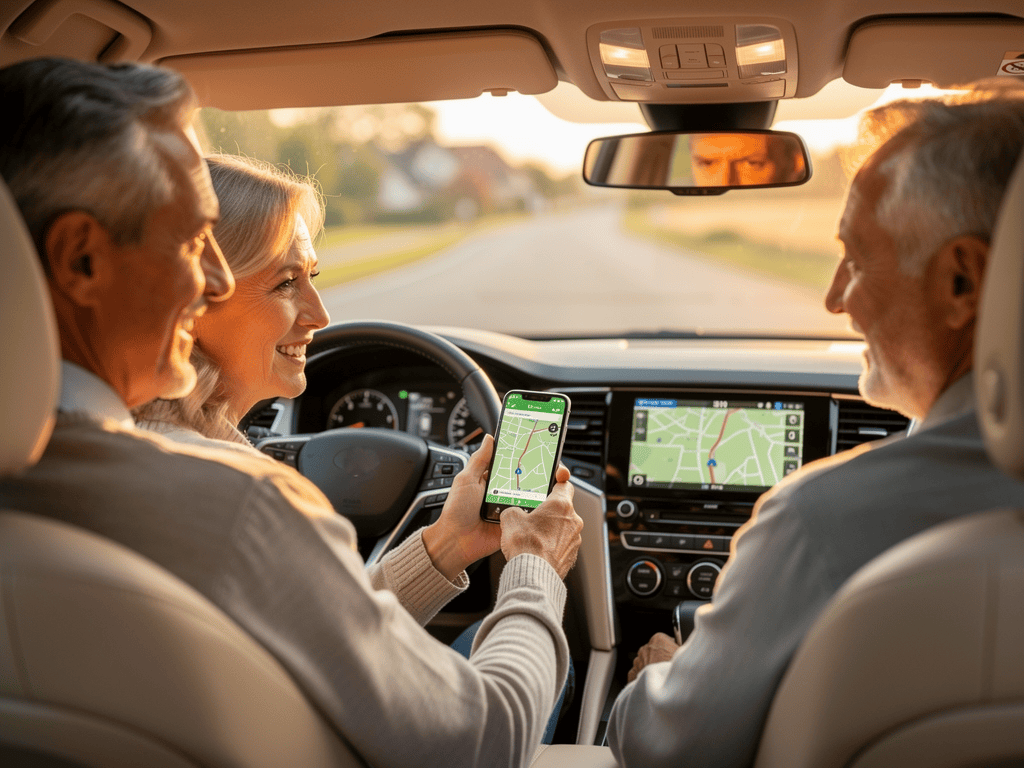
Why modern navigation is important for grandparents
As grandparents, you want to travel safely and relaxed with your grandchildren. Modern navigation devices can help you discover new places without worrying about finding the right way. Navigation via smartphone or GPS device makes traveling not only safer but also more relaxed, so you can focus fully on the shared time with your grandchildren.
When you are on the road with your grandchildren, it is important that you feel safe and are not stressed. Modern navigation can help you avoid stress that arises when you are not sure if you are taking the right turn or if you will arrive on time. With good navigation, you can drive relaxed and focus on what really matters: the shared time with your grandchildren.
Modern navigation also allows you to discover new places that you might not have found without navigation assistance. You can explore exciting destinations together with your grandchildren without worrying about finding your way back. These shared discoveries create valuable memories for you and your grandchildren.
Safety and relaxation
Modern navigation contributes significantly to road safety. When you no longer have to constantly look at maps or are unsure which way to take, you can focus fully on traffic. This makes driving safer for you, your grandchildren, and all other road users.
Especially on longer trips or in unfamiliar areas, navigation can reduce stress. You no longer have to stop to ask for directions or worry about missing the right turn. The navigation reliably guides you to your destination, so you can drive relaxed.
For your grandchildren, it is also reassuring to know that grandma or grandpa can find the way. When you drive relaxed and safely, your grandchildren also feel safer. This positive atmosphere makes shared trips pleasant experiences that your grandchildren will fondly remember.
Shared adventures with grandchildren
Modern navigation opens up new possibilities for you and your grandchildren to discover the world together. You can spontaneously make trips to interesting places without having to think carefully beforehand about how to get there. This spontaneity makes shared activities small adventures that your grandchildren will love.
When you are on the road with your grandchildren, you can explore the route together and plan interesting stops along the way. Modern navigation shows you not only the fastest route but also interesting sights along the route. These discoveries make every trip a small adventure that will excite your grandchildren.
The shared use of navigation can also lead to valuable conversations. You can talk with your grandchildren about the places you pass and plan together where you want to go next. This shared planning strengthens the bond between you and your grandchildren and creates beautiful memories.
Smartphone navigation for grandparents
Smartphone navigation is a practical and cost-effective way to use modern navigation. Most smartphones already have a built-in GPS function, and there are many free navigation apps that you can simply download. If you already have a smartphone, you can start navigating immediately without having to buy additional devices.
Smartphone navigation is particularly practical because you usually have your smartphone with you anyway. You do not need to carry a separate device or install it in the car. The apps are easy to use and are regularly updated, so you always have the latest maps and features.
For grandparents who may not be as familiar with smartphone technology, using navigation apps can be a good way to get familiar with modern technology. The apps are designed to be easy to use, and you can learn how to use them at your own pace.
The best navigation apps
There are many different navigation apps you can use. Google Maps is one of the most well-known and frequently used apps. It is free, easy to use, and offers detailed maps for almost all places in the world. Google Maps shows you not only the way but also interesting places along the route, traffic information, and alternative routes.
Apple Maps is another popular option, especially if you use an iPhone. The app is pre-installed on iPhones and offers intuitive operation. Apple Maps has seen significant improvements in recent years and is now a reliable navigation solution.
Waze is another interesting option that stands out through community features. The app shows you not only the way but also current traffic information reported by other users. This can be particularly helpful to avoid traffic jams and find the fastest route.
Setting up smartphone navigation
Setting up a navigation app on your smartphone is easy. Download the app from the App Store (iPhone) or Google Play Store (Android). Most apps are free and only require an internet connection for navigation. Some apps also offer offline maps that you can download if you do not have an internet connection.
After downloading, you need to open the app and allow location access. This is necessary so the app can determine your current location. Most apps guide you through this process and explain what you need to do.
For first use, you should try the app at home in peace. Enter an address you know and see how the app works. This way, you can familiarize yourself with the operation before using the app in the car. Take time to explore the various features, and do not hesitate to ask your grandchildren for help if you have questions.
Usage tips
When using smartphone navigation in the car, it is important that you secure your smartphone safely. Use a mount that positions the smartphone at eye level so you do not have to look down. This makes use safer and more comfortable. Many mounts can be easily attached to the windshield or dashboard.
Make sure your smartphone is charged during the trip. Navigation consumes a lot of battery, especially if the screen is on all the time. Use a charging cable that you can connect to the cigarette lighter or USB port in the car. This way, you always have enough battery for navigation.
Use the voice announcement feature of the apps. Most navigation apps can read the instructions to you, so you do not have to constantly look at the screen. This makes navigation safer and more comfortable. You can adjust the volume and language of the announcement in the settings.
GPS devices for the car
Dedicated GPS devices are specifically designed for navigation in the car. They have larger screens than smartphones and are often easier to use, especially if you are not as familiar with smartphone technology. GPS devices are robustly built and withstand the stresses in the car.
GPS devices have the advantage that they are not distracted by other functions available on a smartphone. They are designed exclusively for navigation, which makes operation easier. Many GPS devices also have larger screens that are more readable in daylight than smartphone screens.
If you decide on a GPS device, you should make sure it is regularly updated. The maps must be current for navigation to work reliably. Most modern GPS devices can be updated via Wi-Fi or USB, which makes maintenance easy.
Different GPS types
There are different types of GPS devices. Standalone GPS devices are independent devices that you install in the car. They have their own power supply and can be easily attached to the windshield or dashboard. Standalone GPS devices are often easy to use and have large, easily readable screens.
Integrated GPS devices are permanently built into the vehicle and are part of the infotainment system. They are often more expensive but offer seamless integration into the vehicle. Integrated GPS devices are often offered with the purchase of a new car but can also be retrofitted.
Modern GPS devices often offer additional features such as traffic information, POI search (Points of Interest), and voice control. Some devices can also be connected to your smartphone to use additional features such as music streaming or calls.
Choosing a GPS device
When choosing a GPS device, you should pay attention to various factors. Screen size is important for readability, especially if you wear glasses. A larger screen makes navigation easier but can also take up more space in the car. Choose a size that is easily readable for you without taking up too much space.
The updatability of maps is another important factor. Make sure the GPS device can be regularly updated so you always have current maps. Some devices offer free updates for a certain period, others charge fees for updates.
Operation should be simple and intuitive. Test the device before buying if possible, or read reviews from other users. A GPS device that is difficult to operate will frustrate you and may not be used. Choose a device that fits your needs and that you will enjoy using.
Using GPS correctly
The correct installation of the GPS device is important for safety. Attach the device so that it does not obstruct the view and you can easily see it without taking your eyes off the road. Many GPS devices come with mounts that can be attached to the windshield or dashboard.
Before you start driving, you should enter the route and familiarize yourself with the operation. Enter the destination address while the car is still parked, not while driving. This is safer and gives you time to review the route. Many GPS devices also offer the ability to plan and save routes in advance.
Use the voice announcement feature of your GPS device. Most devices can read the instructions to you, so you do not have to constantly look at the screen. This makes navigation safer and more comfortable. You can adjust the volume and language of the announcement in the settings.
Using navigation with grandchildren
The shared use of navigation with your grandchildren can lead to valuable shared experiences. You can involve your grandchildren in planning and decide together where you want to go. This shared planning makes the trip an adventure in which everyone is involved.
When you are on the road with your grandchildren, you can use navigation to discover interesting places. Many navigation apps show sights, restaurants, and other interesting places along the route. These discoveries make every trip a small adventure that will excite your grandchildren.
The shared use of navigation can also lead to conversations. You can talk with your grandchildren about the places you pass and plan together where you want to go next. These conversations strengthen the bond between you and your grandchildren and create beautiful memories.
Planning the route together
Before you start driving, you can plan the route together with your grandchildren. Show them on the map where you want to go and discuss interesting stops along the way. This shared planning makes the trip an adventure in which everyone is involved and gives your grandchildren the feeling of being part of the decision.
Let your grandchildren also make suggestions about where you want to go. Maybe they have heard of a place they would like to visit, or they want to see a particular playground or park. When you include your grandchildren's wishes in the planning, it makes the trip even more exciting for everyone.
During the trip, you can follow the route together and see how far you still have to drive. Many navigation apps show the remaining time and distance. This information can be interesting for your grandchildren and help them understand how long the trip will still take.
Involving grandchildren in navigation
Older grandchildren can help you operate the navigation. Let them enter the destination address or search for interesting places along the route. This involvement gives your grandchildren the feeling of being important and taking responsibility. At the same time, they learn how modern technology works.
When your grandchildren help you with navigation, you can learn and discover together. You can show them how the app works, and they can help you if you have questions. This shared use of technology strengthens the bond between you and your grandchildren and shows that learning works in both directions.
For younger grandchildren, you can use navigation to learn playfully. Show them the map and explain where you are and where you are going. You can also count together how many places you pass or play who sees a certain traffic sign first. These playful activities make the trip more interesting for younger grandchildren.
Creating learning moments
The shared use of navigation offers many learning opportunities for your grandchildren. You can show them how maps work, how to read directions, and how to orient yourself. These skills are valuable and will be useful to your grandchildren throughout their lives.
You can also talk about geography while you are on the road. Show your grandchildren on the map which cities and regions you pass and explain what makes these places special. These conversations broaden your grandchildren's horizons and make the trip an educational experience.
The shared use of navigation can also lead to conversations about technology. Explain to your grandchildren how GPS works and how navigation calculates the route. These explanations can spark your grandchildren's interest in technology and help them understand how modern technology works.
Safety and privacy
When using navigation apps and GPS devices, it is important to pay attention to safety and privacy. Modern navigation apps often collect data about your locations and routes. It is important to understand what data is collected and how it is used.
Most navigation apps offer settings that allow you to control what data is collected. You can often choose whether you want to share location data and whether the app should save your routes. Take time to review and adjust these settings so you feel comfortable.
For safety in the car, it is important that you do not operate the navigation while driving. Enter the destination address before you start driving and use the voice announcement feature to receive instructions. If you need to change something during the trip, stop at a safe place.
Privacy in navigation apps
Navigation apps often collect data about your locations and routes to improve navigation and offer personalized features. It is important to understand what data is collected and how it is used. Most apps provide information in their privacy settings about what data is collected.
In your navigation app settings, you can often choose whether you want to share location data and whether the app should save your routes. If you feel uncomfortable sharing certain data, you can disable these features. However, note that some features may not be available if you do not share certain data.
Read the privacy policy of the app you want to use. This explains what data is collected, how it is used, and whether it is shared with third parties. If you have questions, you can also contact the app's support. Your grandchildren can help you understand and adjust the privacy settings.
Safety aspects to consider
The most important safety rule when using navigation in the car is: do not operate the device while driving. Enter the destination address before you start driving and use the voice announcement feature to receive instructions. If you need to change something during the trip, stop at a safe place.
Make sure the navigation device is securely attached and does not obstruct the view. The device should be positioned at eye level so you do not have to look down. Use a mount that securely holds the device and does not slip during the trip.
Make sure the navigation device does not distract. If the instructions are too frequent or too loud, you can adjust the settings. Navigation should help you, not distract you. If you feel distracted, turn off the navigation and use it again later when you can stop.
Troubleshooting and help
If you have problems with your navigation, there are various ways to find help. Most navigation apps have help features or support pages that explain common problems. You can also ask your grandchildren for help if they are more familiar with the technology.
Common problems can often be solved simply. If navigation does not work, check if your device is charged, if you have an internet connection (for smartphone apps), and if GPS reception is good. Sometimes it also helps to restart the app or the device.
Do not hesitate to ask for help. Your grandchildren, friends, or family members can help you if you have questions or problems arise. Using navigation becomes easier over time, and it is completely normal to have questions at the beginning.
Solving common problems
If navigation does not work, there are some things you can check. Make sure your device is charged and GPS reception is good. GPS works best outdoors, so there may be problems in tunnels or under bridges. If you use a smartphone app, also check if you have an internet connection.
If navigation leads you on the wrong route, the maps may not be current. Check if updates are available and update the maps if possible. For smartphone apps, maps are often automatically updated; for GPS devices, you may need to update manually.
If the voice announcement does not work, check the volume settings of your device and the app. Make sure the volume is not muted and that the app has permission to play audio. You can also try changing the announcement language in the settings.
Finding help and support
Most navigation apps have help features or support pages that explain common problems. You can often find these in the app menu or on the app manufacturer's website. These resources can help you solve problems and learn more about the app's features.
If you continue to have problems, you can contact the app's support. Most apps have a support feature or an email address where you can request help. Describe your problem as accurately as possible so support can help you better.
Your grandchildren can also be a valuable help if you have questions or problems arise. Many younger people are familiar with smartphone technology and can help you solve problems or answer questions. Do not hesitate to ask for help – your grandchildren will be happy to help.
Navigation as a shared experience
The shared use of navigation with your grandchildren can lead to valuable shared experiences. When you plan the route together, discover interesting places, and talk about the trip, you create memories that will accompany you and your grandchildren for a lifetime. These shared experiences strengthen the bond between you and your grandchildren and show that you can discover the world together.
Modern navigation makes traveling not only safer and more relaxed but also more interesting. You can discover new places together without worrying about finding the way. These discoveries make every trip a small adventure that will excite your grandchildren. When you are on the road together, you can focus fully on the shared time without having to worry about the way.
Using navigation can also show that learning works in both directions. You can show your grandchildren how navigation works, and they can help you if you have questions. This shared use of technology shows that you can grow and learn together, regardless of age. This positive attitude toward learning and technology will shape your grandchildren and help them stay open to new experiences.
Comparison of the most important navigation apps
Google Maps
Free
Detailed maps worldwide
Apple Maps
Free
Pre-installed on iPhone
Waze
Free
Community traffic info
Overview of different GPS device types
Standalone GPS
Easy to use
Additional device
Integrated GPS
Seamless integration
More expensive
Smartphone app
Free available
Smaller screen
Important safety tips for navigation
Before driving
Enter route before starting
Very important
Use voice announcement
Have instructions read aloud
Important
Secure attachment
Device does not obstruct view
Very important
Tips for smartphone navigation
- Download a proven navigation app (e.g., Google Maps or Apple Maps)
- Make sure your smartphone is charged during the trip
- Use a mount to securely attach your smartphone
- Activate the voice announcement feature for safe navigation
- Test the app at home before using it in the car
- Download offline maps if you do not have an internet connection
Tips for GPS devices
- Choose a device with an easily readable screen
- Make sure maps can be regularly updated
- Attach the device securely without obstructing the view
- Use the voice announcement feature for safe navigation
- Plan routes in advance if possible
- Test the device before buying if possible
Shared activities with grandchildren
- Plan the route together and include interesting stops
- Involve grandchildren in operating navigation (for older grandchildren)
- Discover and visit interesting places along the route
- Talk about geography and the places you pass
- Learn playfully: Who sees a certain traffic sign first?
- Count together how many places you pass
Shared trip with grandchildren